Case study · Interactive prototype
CRM Import Module
Bulk data migration that does not block onboarding. Error isolation and heuristic column matching turn a first CRM migration from hundreds of identical row-by-row fixes into a handful of decisions grouped by cause.
This is a dense desktop workspace, and a phone-width frame misrepresents it. Open it full screen on a larger display.
Open full screen ↗Context & problem
Bulk import is where CRM onboarding fails.
A CRM rollout opens with the same task: move the contacts you have into the system you just bought. The file is dirty. Someone merged two columns, dates arrive in three formats, the same company is spelled four ways, and a few hundred contacts point at a parent account nobody has created.
The hard part is the accounting. A conventional importer guesses the column mapping, writes what it guessed, then reports failure as a list of row numbers. You make the same decision several hundred times, with no way to see that it is the same decision.
Constraints
Four rules I held to.
I settled these first, and everything downstream followed:
- Fixed destination schema
- Fifteen CRM fields. Email and Company Name are mandatory, and Continue stays disabled until a settled mapping fills both.
- Nothing writes until the end
- Every stage writes to a staging layer in the browser. Nothing reaches the CRM until you press Finalise Import, which is what makes going backwards safe.
- One column, one field
- Two source columns must not claim the same destination without telling you. A collision you cannot see costs more than a decision you have to make.
- Dense data, no type identity
- A native system font stack rather than a web font. On a grid this dense, loading one costs a reflow you watch happen. People operate this screen.
Solution
Spend the user's attention where the machine is least certain.
The importer runs in four stages: Upload, Map columns, Review data, Resolve & import. A stepper keeps finished stages navigable.
- 01
Confidence decides how much attention a column earns
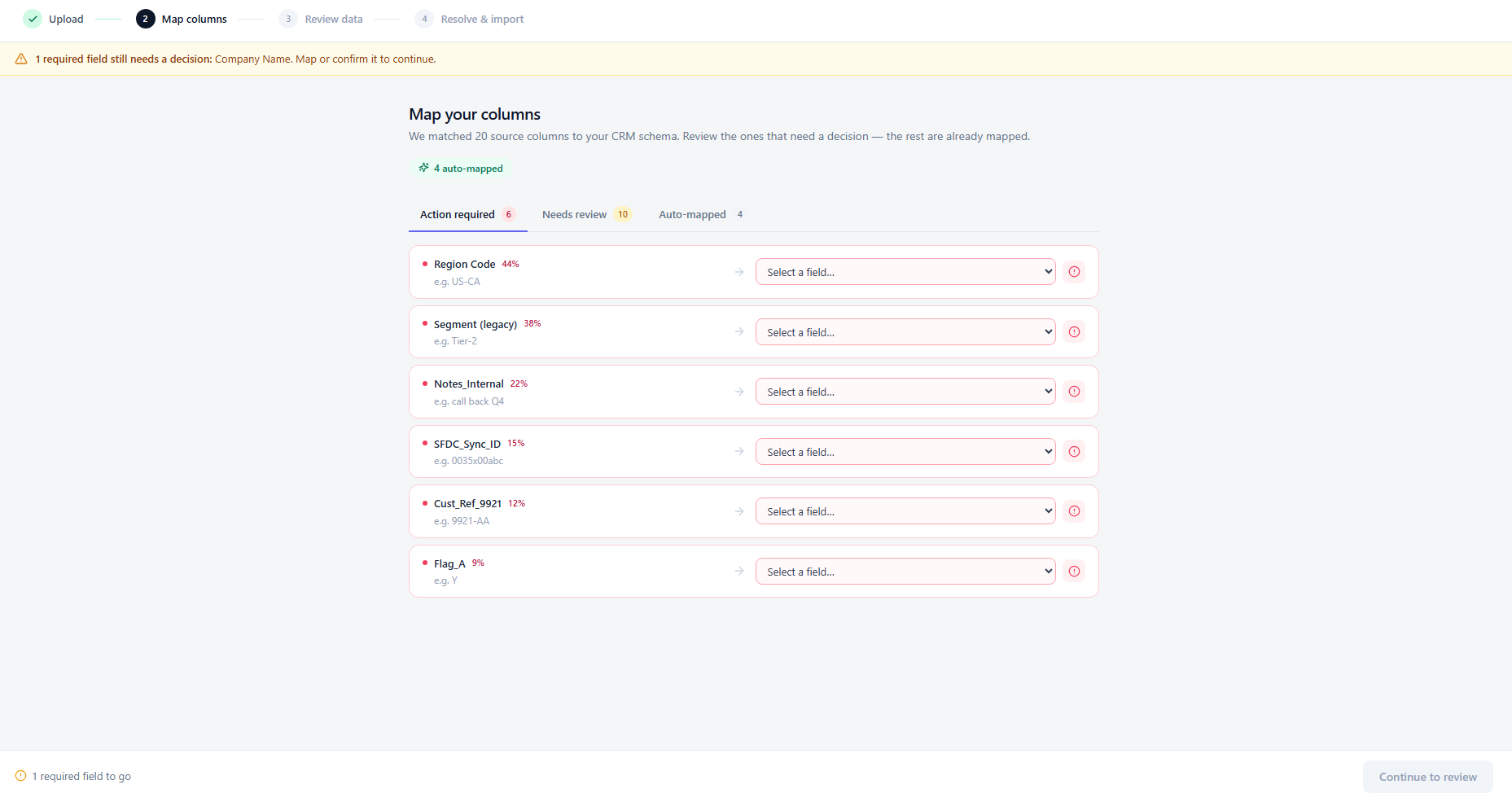
I score each source header against the schema on exact match, substring coverage and token overlap, which gives it a confidence from 0 to 100. Above 95 a column maps itself and costs zero clicks. Between 50 and 94 it pre-fills and takes one click to confirm. Below 50 it stays empty and waits for a manual choice. Those three bands become the three tabs, Action required, Needs review and Auto-mapped, so the queue sits in the order of how much you are needed. When two columns compete for one field, the strongest keeps it and the others drop to manual.
Column mapping: confidence tiers and review tabs - 02
Review the staged records, not the file
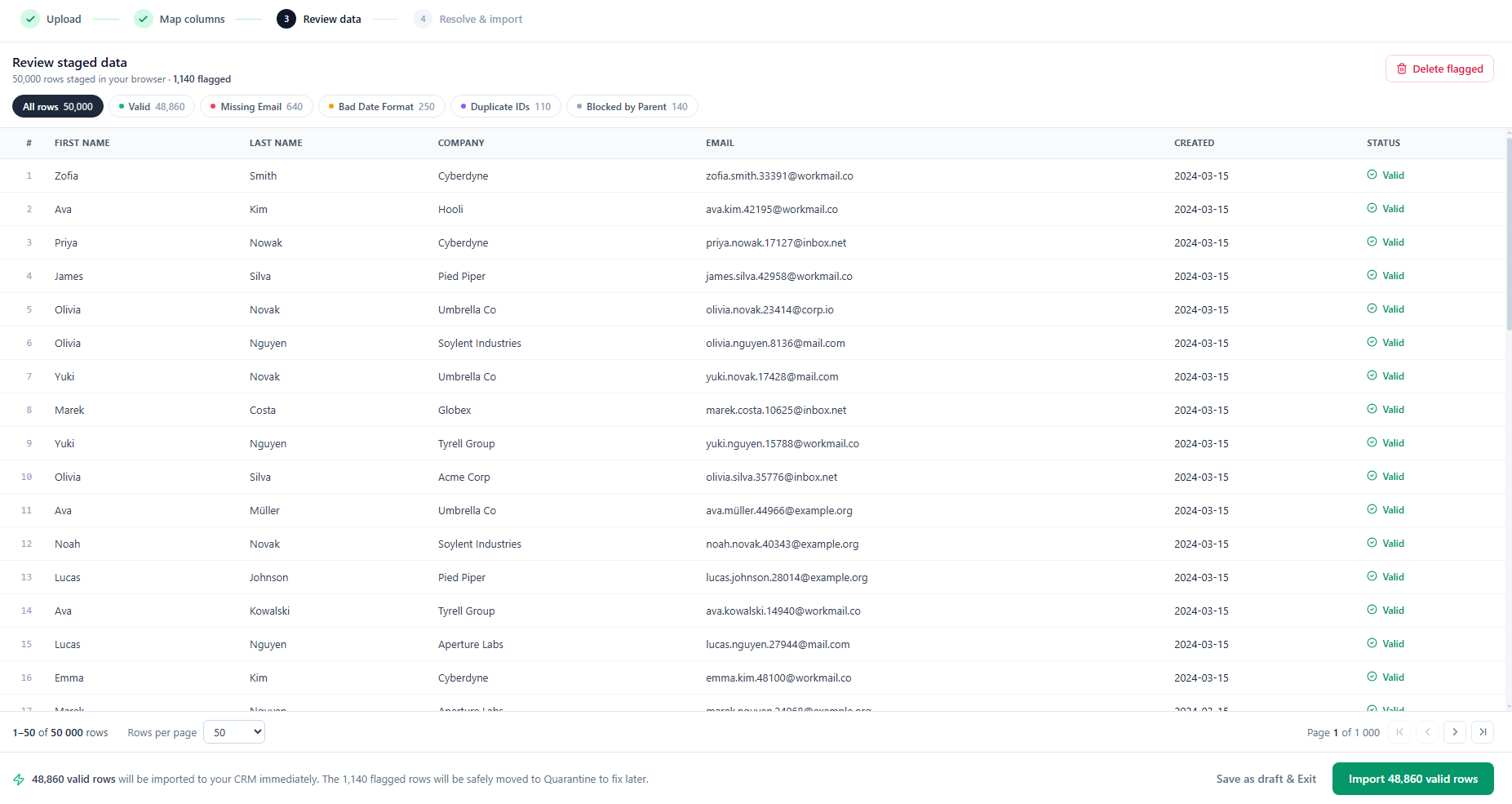
A paginated pass over the staged dataset, showing rows as the CRM will store them rather than as you uploaded them. This is the last point where changing the shape of the import stays cheap.
Review stage: the paginated staged dataset - 03
Quarantine is organised by cause, not by row
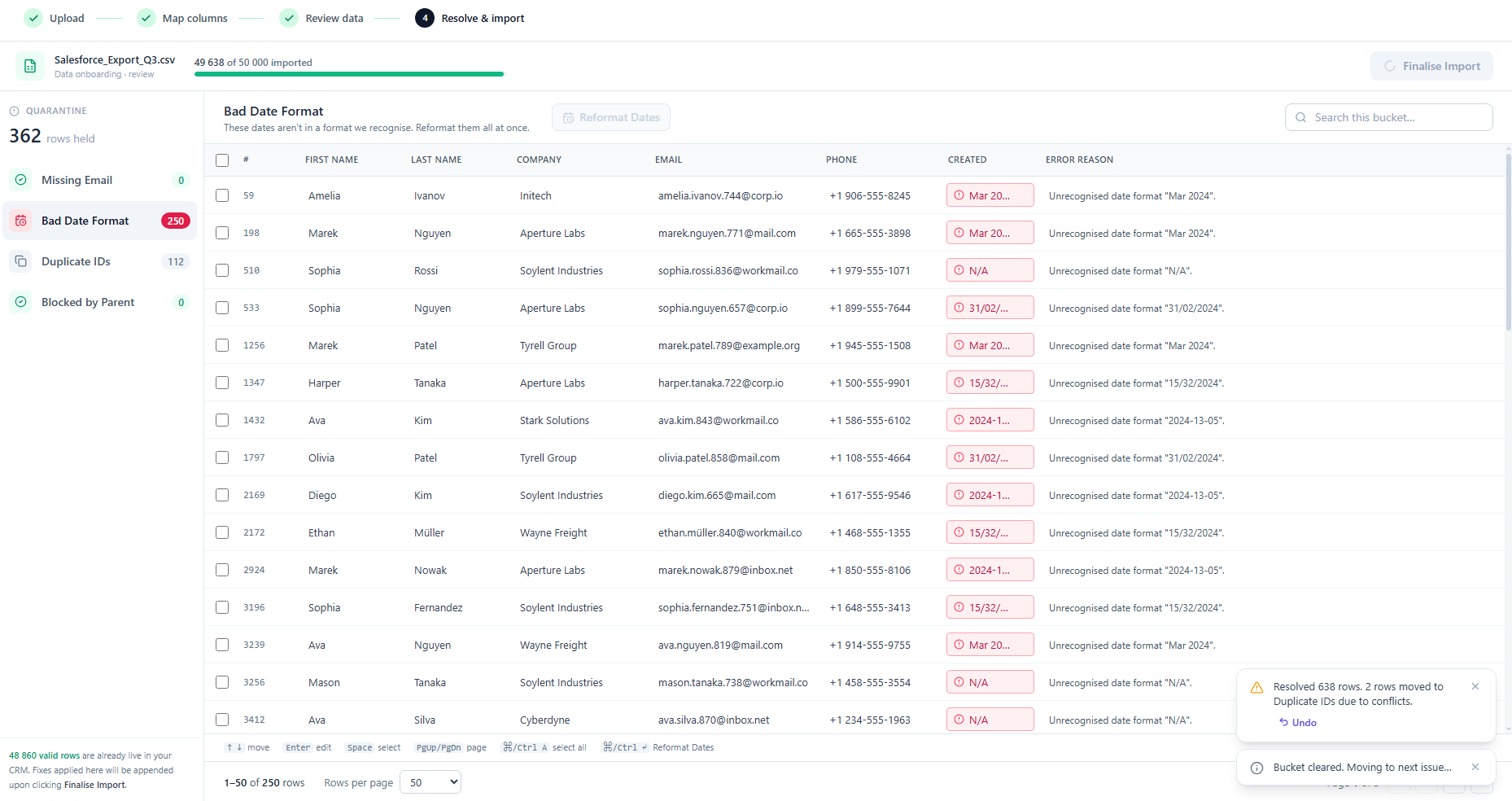
Conflicts fall into four buckets: Missing Email, Bad Date Format, Duplicate IDs and Blocked by Parent. Each bucket carries only the bulk actions that suit it, so you generate placeholders, reformat dates, merge duplicates, keep the newest, or convert to leads. One decision clears hundreds of rows, and you can undo any bulk action as a batch. Email is mandatory, so the flow never offers to import without one. Those rows become Leads, which need no email.
Quarantine: buckets and their bulk actions


Impact
What the prototype shows.
How it changes the shape of the work:
- Unblocked user flow
- Quarantine holds the broken rows, so the valid ones import straight away.
- Reduced cognitive load
- Confidence scoring clears the exact matches, so you decide only on the columns it could not place.
- Protected backend
- Validating in the browser keeps malformed CSVs from reaching the server.
The claim is narrow and testable. Group decisions by cause rather than by row, and the number of decisions falls to the count of distinct causes.
Target audience
CRM Administrators and SalesOps managers running their first bulk data migration.